









Instagram Stories disappear after 24 hours unless creators add them to Highlights. For digital marketers, that short lifespan can make it difficult to revisit a product announcement, compare campaign messaging, or document a useful creative approach.
Downloading permitted public Stories can help teams build reference libraries, study visual storytelling, and preserve examples for later analysis. This guide explains how to download Insta Stories, what marketers can learn from saved content, and how to handle quality, privacy, and copyright responsibly.
Quick Start: How to Download Instagram Stories
A browser-based downloader offers a simple workflow for saving supported public Stories without installing additional software or sharing Instagram login credentials.
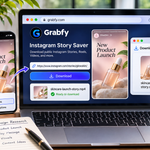
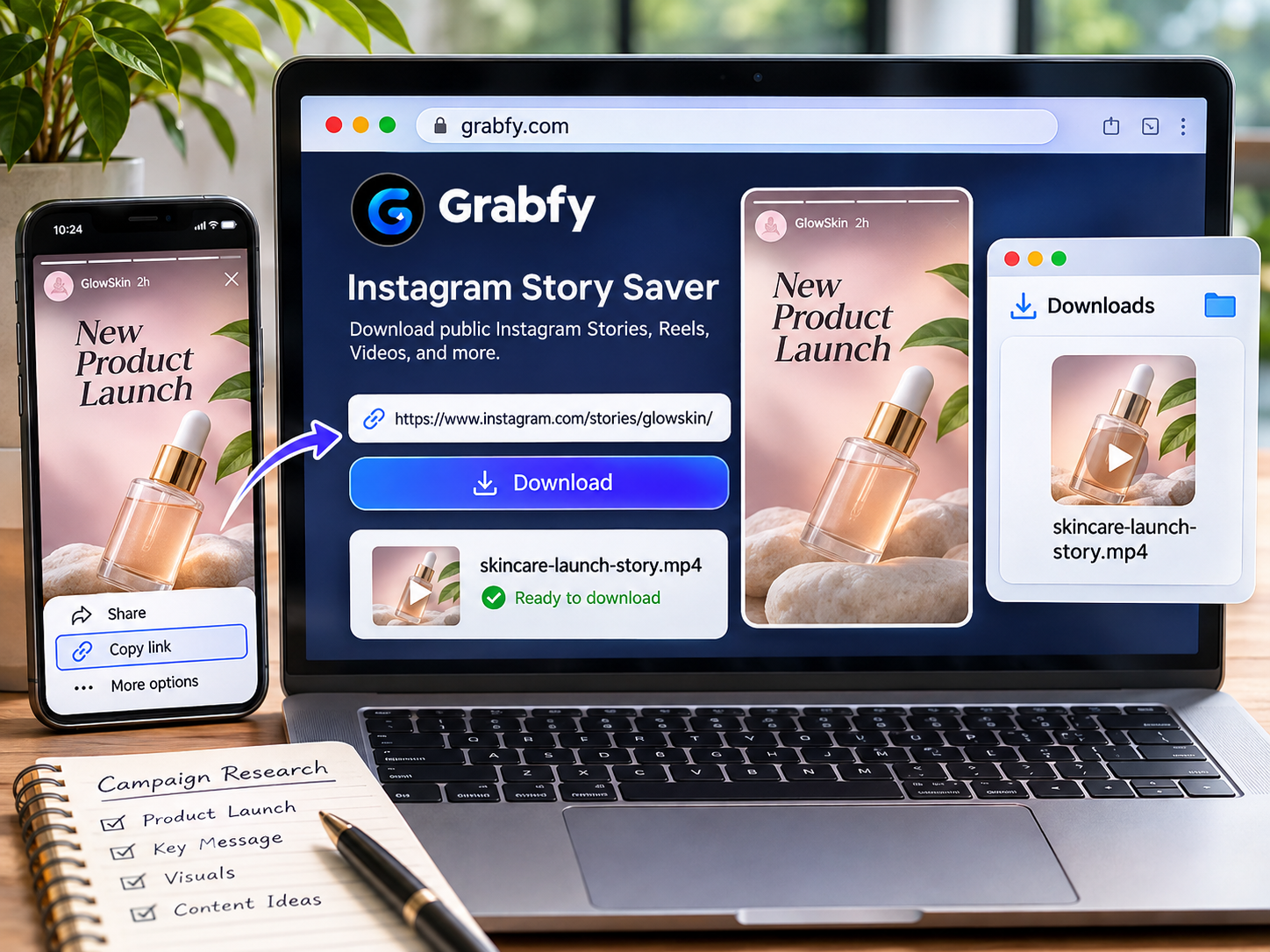
- Open Instagram and locate a public Story relevant to your research.
- Copy the Story URL using the available sharing options.
- Open a compatible Story downloader in your browser.
- Paste the link, select the available photo or video, and download it.
Grabfy’s Instagram Story Saver provides this link-based workflow for supported public Stories. Files usually appear in the browser’s Downloads folder, although the location depends on your device.
Stories that have expired, been deleted, or become restricted may no longer be retrievable. A public downloader cannot access private accounts or Close Friends content.
Why Saving Instagram Stories Benefits Digital Marketers
Preserve Short-Lived Campaign Examples
Brands frequently use Stories for launches, limited-time offers, events, and product demonstrations. A permitted saved copy helps researchers revisit the message after the original Story disappears.
Recording the publication date, account name, and campaign context alongside each file makes the archive more useful than an unorganized collection of videos.
Compare Creative Approaches
Saved Stories let teams examine visual layouts, opening hooks, calls to action, and how brands explain products within a short format. Comparing several campaigns may reveal recurring creative themes without assuming that a particular approach produced stronger results.
Support Content Planning
Researchers can use public examples as inspiration when preparing their own Story sequences, educational posts, or campaign briefs. The goal is to understand techniques, not to copy another creator’s work.
Using Grabfy for Instagram Story Research
For marketers who need a practical instagram downloader, Grabfy is a useful starting point for collecting supported public Instagram media through a browser. Its straightforward copy-link, paste, and download process fits research workflows across phones and computers.
Rather than relying solely on screenshots, teams can retain available media files and review them alongside campaign notes. This is helpful when analyzing motion, pacing, text placement, and transitions that a single screenshot cannot capture.
Grabfy also offers tools for other supported Instagram formats, including Reels, videos, photos, and carousels. Keeping these references together can provide a broader picture of how a brand communicates across its public content.
Best Practices for Building a Story Research Library
Organize Files by Brand and Campaign
Create folders by client, competitor, campaign, or month. Use descriptive filenames that identify the source and topic, such as a product launch or financial education series.
Include the original URL and capture date when possible. This helps researchers trace a saved example back to its source and distinguish current messaging from older campaigns.
Add Context, Not Just Media
For each Story, record its main message, intended audience, visual format, and call to action. Note whether it features a demonstration, testimonial, promotion, or educational explanation.
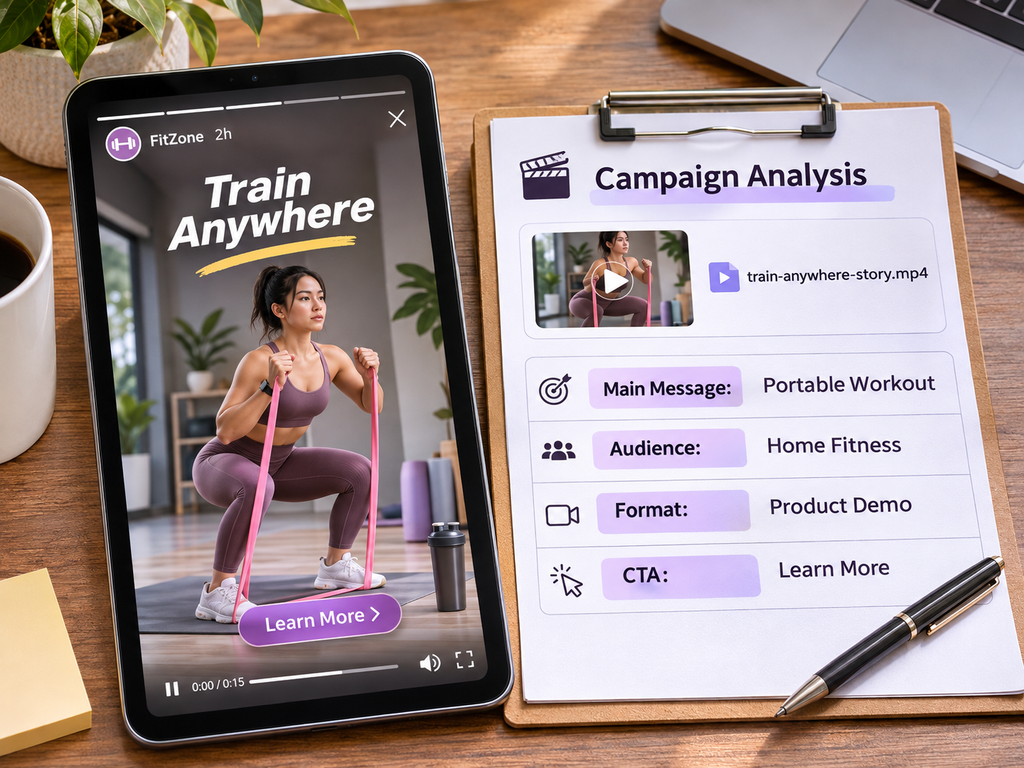
Interactive polls, question stickers, and clickable links may not function in downloaded files. Capture relevant context separately rather than treating a local video as a complete record of the original experience.
Use a Consistent Download Workflow
A repeatable process makes it easier for a team to maintain an archive. Assign clear responsibilities for selecting relevant public content, saving permitted files, and documenting the source.
What Instagram Content Can Marketers Save?
Stories and Highlights
Public Stories generally remain visible for 24 hours. Highlights can keep selected Stories available longer, depending on the creator’s settings. Supported public Highlight segments may be downloadable while accessible.
Reels and Video Posts
Reels and feed videos can provide additional examples of tutorials, demonstrations, and brand storytelling. Grabfy’s Instagram Reels Downloader is designed for supported public Reels.
Photos and Carousels
Carousel posts can contain multi-step guides, product comparisons, and visual explainers. Saving permitted slides helps marketers review design choices without relying entirely on cropped screenshots.
Choosing Grabfy for Ongoing Campaign References
For teams reviewing different public Instagram formats, Grabfy offers a convenient browser-based way to save supported media for organized research. Its format-specific tools make it practical to collect Story examples alongside Reels and other campaign references without a separate downloader app.
Marketers can then compare creative approaches, prepare internal briefs, and maintain a reference library. Availability still depends on the source content, so downloading should not be treated as guaranteed access to every public post.
HD Quality, Audio, and Watermarks
Instagram processes uploaded media, meaning downloadable files may already be compressed. A downloader cannot recover visual detail lost before the file becomes available.
Story videos commonly use a vertical format, but resolution and clarity vary. For research involving small text or product details, check that the saved file is readable before adding it to a report.
Some downloads may preserve audio, while licensed music or other elements can be unavailable. Existing logos, text overlays, and embedded branding may remain even if a downloader adds no watermark of its own.
Downloading on Different Devices
iPhone or iPad: Use Safari or another compatible browser, then check Files under Downloads. Move compatible media into Photos if needed.
Android: Use Chrome or another browser. Saved files usually appear in Downloads or the device’s file manager, and sometimes in Gallery.
Windows or Mac: Use a desktop browser and check its configured Downloads folder. Desktop folders are useful for larger research collections.
Privacy, Safety, and Copyright Considerations
Downloading public content without Instagram login credentials does not guarantee complete anonymity. Third-party websites may process IP addresses, browser details, and usage information.
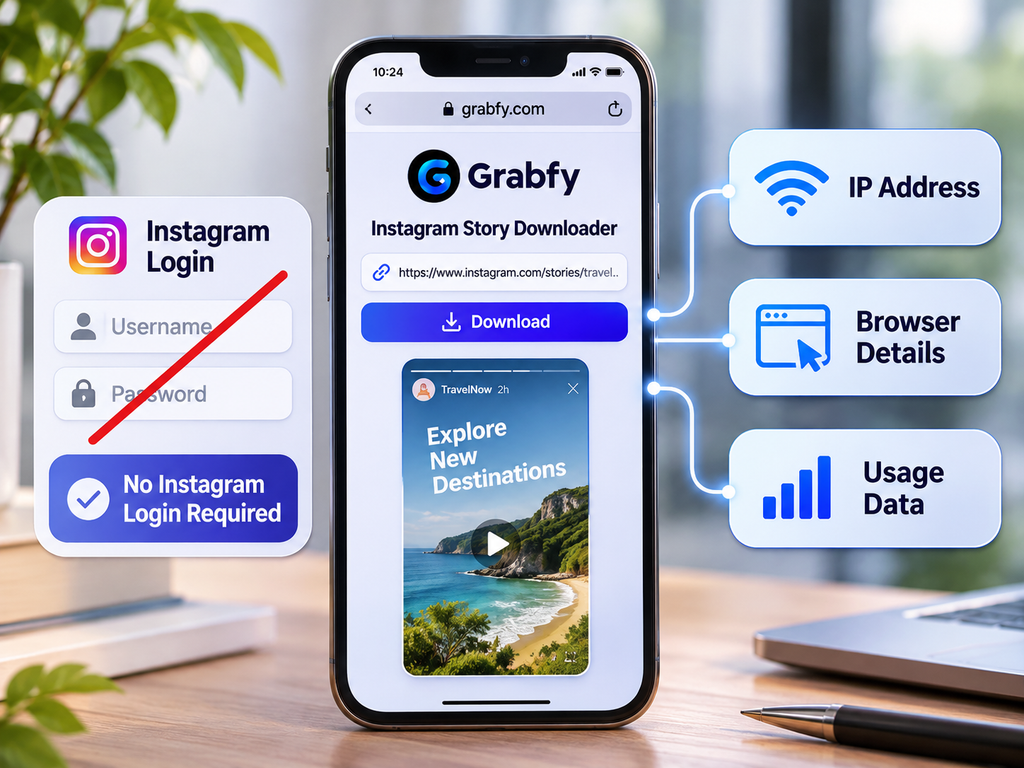
Avoid downloaders that request Instagram passwords, unfamiliar extensions, or unnecessary permissions. No legitimate public tool should promise access to private Stories or restricted audiences.
Public availability also does not grant permission to republish or commercially reuse someone else’s content. Obtain appropriate authorization before incorporating saved Stories into advertisements, public presentations, or other external materials. Keep source details and permission records for professional projects.
Frequently Asked Questions
Can Marketers Download Stories Without an Instagram Account?
Compatible browser-based tools may save supported public Stories without requiring an Instagram login. Private or restricted Stories remain inaccessible.
Can Expired Stories Be Downloaded?
Generally not once they are unavailable publicly, unless the creator preserves them in an accessible Highlight. Account owners may also have their own Story Archive.
Does Downloading Notify the Creator?
An external public-media download is different from watching a Story while logged into Instagram. However, the website’s privacy practices and technical data collection should still be considered.
Why Does a Story Download Fail?
The Story may have expired, been deleted, become private, or have an unsupported link. Check availability and copy the correct URL again.
Can Saved Stories Include Music?
Sometimes, but audio availability depends on the accessible source media and licensing restrictions.
Final Thoughts
Saving permitted public Instagram Stories helps digital marketers preserve temporary campaign examples, compare creative techniques, and maintain useful research archives. The strongest workflow combines reliable file organization with source documentation, responsible permissions, and an understanding of download limitations.